

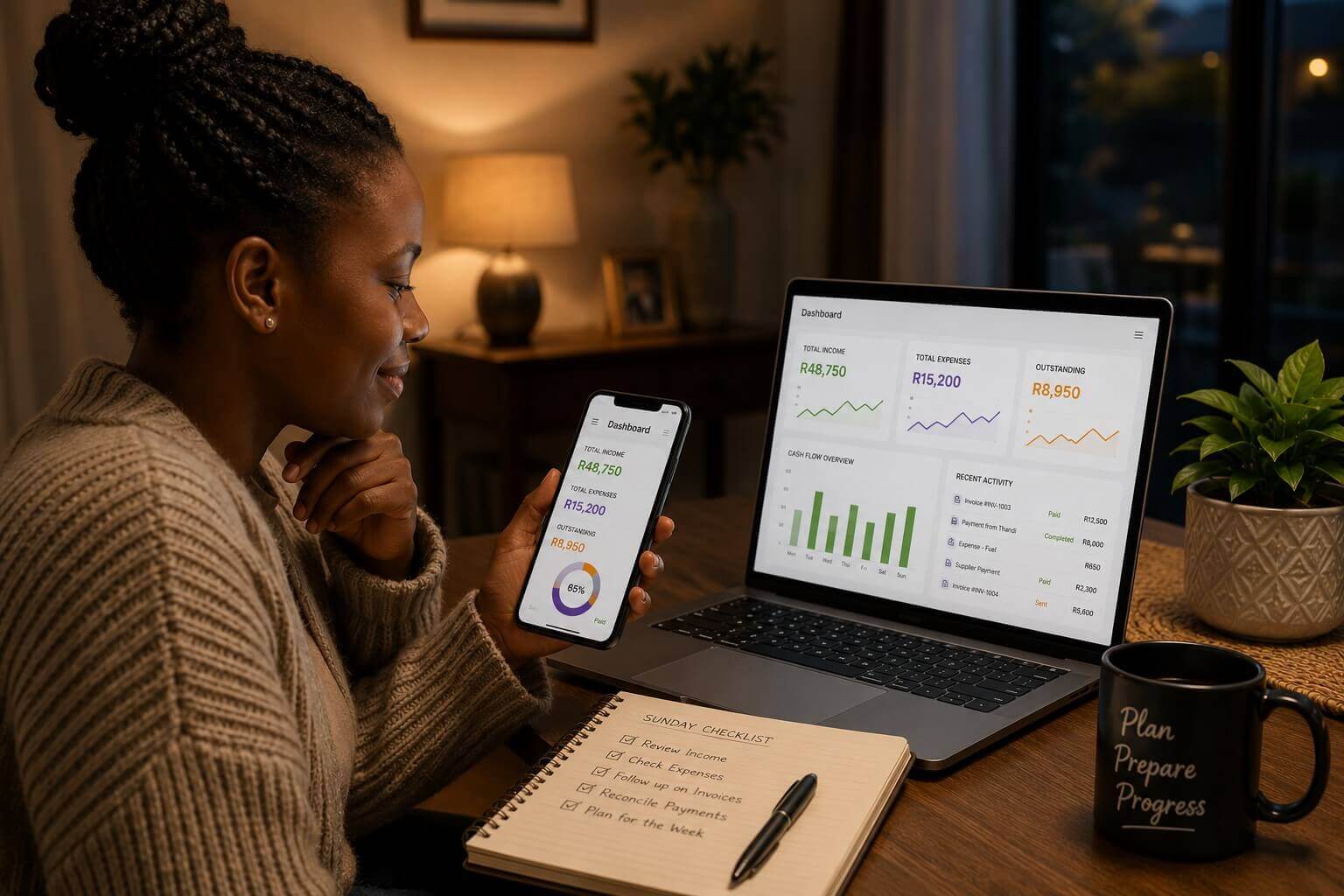
Running a small business in South Africa means wearing many hats throughout the week. Between serving clients, managing deliveries, and keeping track of payments, the end of the week can feel like a blur. Taking just 10 to 15 minutes on a Sunday evening to review your business dashboard can transform how you start Monday — and how your whole week unfolds.
Why a Sunday Evening Dashboard Check Makes Business Sense
Most small business problems don’t appear out of nowhere — they build quietly through unpaid invoices, untracked expenses, and forgotten follow-ups. A quick weekly review gives you an early warning system that stops small issues from becoming big ones. South African entrepreneurs who use MiBooks as their business management tool have everything they need in one place: invoices, expenses, cash flow, and outstanding payments.
With MiBooks Mobile, you can do this entire review from your phone, making it accessible whether you’re at home, visiting family, or relaxing after a long week.
What to Check During Your Sunday Evening Dashboard Review
Start by checking your outstanding invoices that haven’t been paid yet. If you spot clients who haven’t settled, you can plan a quick reminder call or WhatsApp message for Monday morning. This simple habit reduces late payment cycles and improves your cash flow without confrontation.
Next, review your recent expenses for anything unusual or missing. A petrol slip from a weekend delivery, an unexpected supplier bill, or a forgotten subscription charge — these small items add up and can distort your monthly profit picture if they’re not captured promptly.Capturing expenses as they happen makes your weekly review far more accurate. Read Expense in the App: Mobile Expense Capture to learn how mobile expense tracking simplifies your bookkeeping.
Finally, take a quick look at your week ahead: do you have quotes to send, deliveries to schedule, or payments expected? With this information fresh in your mind, Monday becomes less about catching up and more about moving forward with purpose.
How MiBooks Mobile Supports Your Weekly Routine
MiBooks Mobile is designed for South African entrepreneurs who need simple, practical tools on the go. The app lets you create and send invoices, record expenses, track payments, and view your business snapshot — all from your smartphone. No need to open a laptop or wait until you’re back in the office.
Because MiBooks is part of the BizFoundry family, your data is always connected to BizFoundry’s bookkeeping and compliance support services. If your bookkeeper spots something that needs attention, they can flag it through the platform, keeping everything in sync.
Building the Habit: Starting Small and Staying Consistent
The best business habits are the ones you can sustain. Start with just two things each Sunday: check your unpaid invoices and review your bank balance against your MiBooks records. Once that feels natural, add expense review and week-ahead planning. Over a few months, this 15-minute routine will give you a clearer financial picture than most small business owners ever achieve.
Over time, this habit can improve your business’s financial health significantly and reduce the stress of month-end admin or tax season. When SARS or CIPC deadlines approach, your records are already in order.
Sunday Evening Business Dashboard Checklist
| Check | What to Look For | Action |
|---|---|---|
| Outstanding invoices | Any unpaid for more than 30 days | Plan Monday follow-up |
| Recent expenses | Missing slips or unusual charges | Capture or query promptly |
| Cash flow position | Bank balance vs expected payments | Adjust week’s priorities |
| Week ahead | Quotes, deliveries, expected payments | Schedule and prepare |
Frequently Asked Questions
How long should the Sunday evening dashboard check take?
For most small business owners, 10 to 15 minutes is enough. As your business grows, this may extend slightly, but the goal is to keep it focused and actionable — not to do a full month-end close every week.
Do I need to be connected to the internet to use MiBooks Mobile?
MiBooks Mobile works best with an internet connection for syncing data, but many features are accessible offline. Your data syncs automatically when you reconnect, ensuring nothing is lost if you’re in an area with limited connectivity.
Can I share my MiBooks dashboard with my BizFoundry bookkeeper?
Yes. MiBooks integrates with BizFoundry’s bookkeeping service, meaning your bookkeeper can view and update your records based on your MiBooks data. This makes the weekly review even more valuable as your bookkeeper can flag issues between check-ins.