

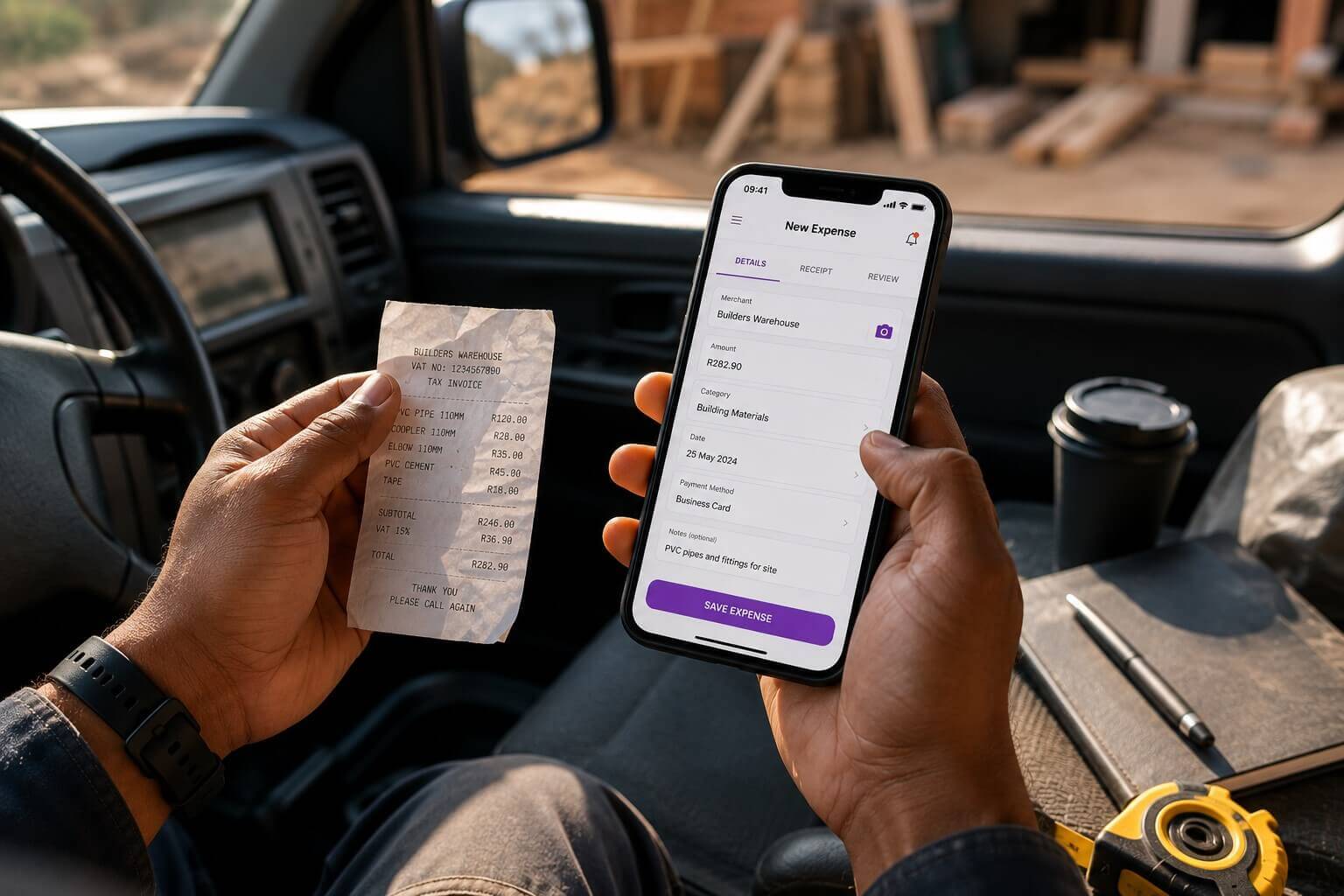
If you’ve ever arrived at month-end staring at a pile of crumpled receipts from your bakkie’s cubbyhole, you already know the pain of delayed expense tracking. For South African small business owners who are constantly on the move, capturing expenses in the moment — not at month-end — is the habit that transforms your bookkeeping from a nightmare into a routine.
Why On-the-Go Expense Capture Changes Everything
The moment you pay for something — fuel, supplies, tools, parking — that receipt is a business asset. It represents money you spent to generate income, and in many cases, it’s money you can offset against your tax liability or reclaim as input VAT. But receipts have a way of disappearing: they fade in the sun, get lost in a bag, or simply don’t make it home.
Mobile expense tracking means capturing that expense the moment it happens. Take a photo, add a description, and it’s done — organised, categorised, and ready for your bookkeeper to work with at month-end. No more hunt for missing slips.
How MiBooks Mobile Handles Expense Capture
MiBooks Mobile is built for South African freelancers and SMEs who need straightforward bookkeeping without complicated software. The expense capture feature lets you quickly photograph a receipt, add a description like “fuel for delivery bakkie” or “stock from market supplier,” and save it instantly — whether you’re waiting at a supplier or parked outside a client’s premises.
The app automatically organises your expenses under categories that suit your business, such as travel, materials, or office costs. This organisation helps when preparing VAT returns, tracking business spend, or providing your accountant with a clean expense record at month-end. All data syncs to the web platform, so you can generate reports or share expense details without fuss.
Reducing Month-End Stress With Real-Time Recording
Month-end is often the most stressful time for SME owners juggling operations alongside compliance deadlines. Trying to find missing receipts or reconstruct expenses from bank statements is time-consuming and error-prone. When you capture expenses in real time, month-end becomes a quick review rather than a scramble. Your BizFoundry bookkeeper can work from complete, accurate records rather than chasing documents. Read: The Month Your Business Gets Too Busy for Spreadsheets .
For businesses registered for VAT, having well-organised expense records with valid tax invoices is essential for claiming input VAT correctly. MiBooks helps ensure every expense that qualifies is captured and categorised before the SARS deadline.
Making the Habit Stick
The key to consistent expense capture is reducing the friction. MiBooks Mobile makes it as easy as taking a photo. Keep the app on your phone’s home screen so it’s always one tap away. After each business purchase, open the app, snap the receipt, and add a short description. It takes under 30 seconds and saves hours at month-end.
BizFoundry’s onboarding team can help you set up the right expense categories for your specific business from the start, making your records more useful and more accurate from day one.
Mobile Expense Capture Benefits
| Benefit | Impact on Your Business |
|---|---|
| Capture receipts instantly | No more lost or faded slips |
| Automatic categorisation | Cleaner records, easier reporting |
| Cloud sync | Bookkeeper has access in real time |
| VAT-ready records | Correct input VAT claims every time |
| Reduced month-end admin | Less stress, more accuracy |
Frequently Asked Questions
Can I capture receipts in multiple currencies on MiBooks?
MiBooks supports South African Rand (ZAR) as the primary currency for local business use. If your business deals in foreign currencies, contact BizFoundry’s support team to discuss how best to handle multi-currency transactions in your records.
What if a supplier doesn’t give me a printed receipt?
You can manually capture the expense details directly in MiBooks without a receipt image, including the date, amount, supplier name, and category. If a supplier provides a WhatsApp invoice or email confirmation, you can upload that as supporting documentation instead.
Does MiBooks link my expenses to my invoices?
MiBooks allows you to track both income (invoices) and expenses separately, giving you a complete picture of your cash flow. For more detailed job costing, BizFoundry’s bookkeeping team can assist with structuring your records to match expenses to specific projects or clients. Read: How a Catering Company Tracked Profit at an Event shows how better expense tracking can reveal the true cost and profitability of a job.